Symptoms
- Double-clicking the icons for Mech-Eye Viewer, Mech-Vision, Mech-Viz, Mech-MSR, or Mech-Metrics does not open the application. Windows Security displays the message: This app has been partially blocked.
- Mech-Eye Viewer, Mech-Vision, Mech-Viz, Mech-MSR, and Mech-Metrics cannot be installed using the installer.
- When training a model in Mech-DLK, the training fails with an unknown error.
Possible Causes
After a Windows Defender security intelligence update in Windows 11, Windows may mistakenly identify Mech-Mind software as unsafe and prevent its normal use.
Notes
This issue is unrelated to the software version.
Solutions
Temporarily disable the Smart App Control feature as follows:
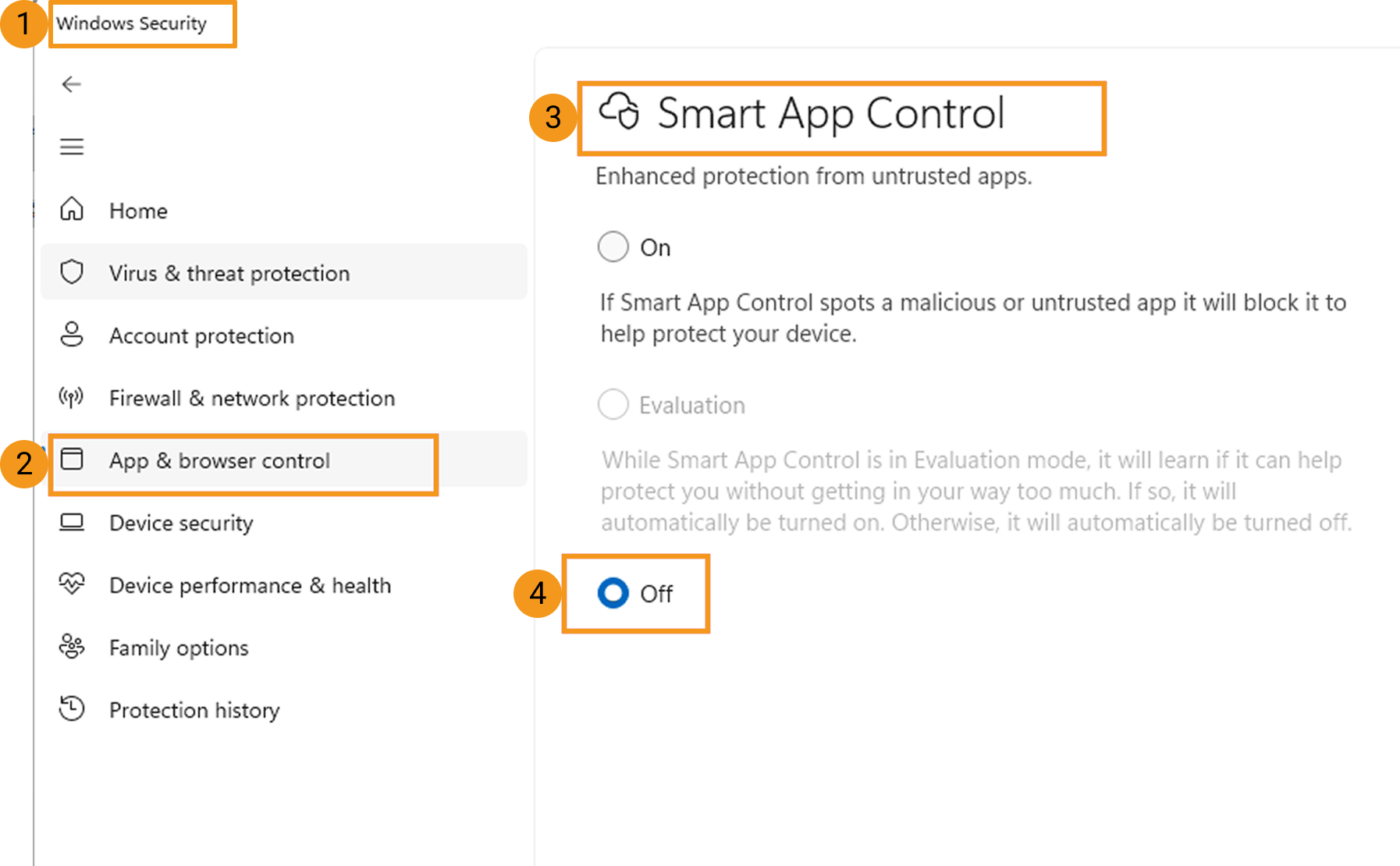
- Open Windows Security and select App & browser control.
- Under Smart App Control, select Off.
References :
For more information about Smart App Control, please refer to Microsoft official documentation: Smart App Control overview