I’ts an ETH setup. I have a camera mounted around 1000mm above my bin.
It’s a random bin picking project.
I want to be able to tell whether the camera couldn’t define any object at the bottom of the bin or if the bin is really empty at the end.
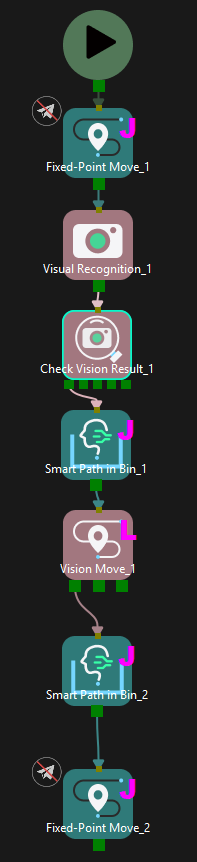
Great question! In Mech-Viz, the Check Vision Result Step is designed exactly for this purpose. It has 5 exit ports that let you handle different scenarios:
Exit Port
Description
Has results
Vision found objects — proceed to pick
No result
Vision ran but found no objects
No cloud in ROI
No point cloud data in the ROI — typically means the bin is truly empty
Timeout
Vision processing timed out
Not called
Vision service was not executed
How to distinguish “bin is empty” from “camera failed to detect”:
“No cloud in ROI” → All target objects have been picked. The bin is empty. This exit port is prioritized over “Has results” and “No result”.
“No result” → The camera captured data but no objects were recognized. This could mean objects are present but not matchable (e.g., orientation issues, occlusion).
So in your Mech-Viz project, after the Visual Recognition Step, connect a Check Vision Result Step and wire the No cloud in ROI exit port to your “bin is empty” handling logic (e.g., signal the robot to swap bins).
For more advanced logic:
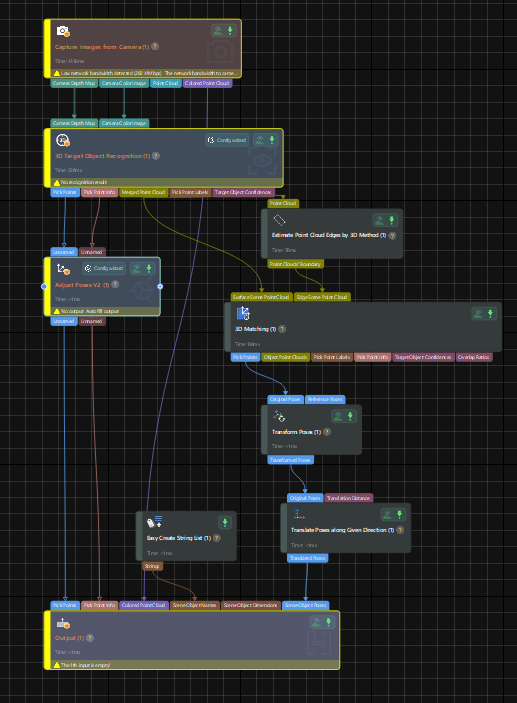
You can also use Custom Alerts in Mech-Vision to define specific conditions (like object count thresholds) and send alert codes to Mech-Viz. The Check Vision Result Step can then branch based on these custom alerts.